Reliability Analysis
It is very common in psychological research to collect multiple measures of the same construct using questionnaires. Typically, a construct is measured with several items, each of which is a measure of that construct. As mentioned in the last exercise, Peter Glick and Susan Fiske (1996) developed an interesting measure called the Benevolent Sexism Scale (BSS). Its 11 items are given below:
| 1. | No matter how accomplished he is, a man is not truly complete as a person unless he has the love of a woman. |
| 2. | In a disaster, women ought not necessarily to be rescued before men. |
| 3. | People are often truly happy in life without being romantically involved with a member of the other sex. |
| 4. | Many women have a quality of purity that few men possess. |
| 5. | Women should be cherished and protected by men. |
| 6. | Every man ought to have a woman whom he adores. |
| 7. | Men are complete without women. |
| 8. | A good woman should be set on a pedestal by her man. |
| 9. | Women, compared to men, tend to have a superior moral sensibility. |
| 10. | Men should be willing to sacrifice their own well being in order to provide financially for the women in their lives. |
| 11. | Women, as compared to men, tend to have a more refined sense of culture and good taste. |
Downloading and Opening a CSV file
In the last exercise, you learned how to import an Excel file. Before getting to how you would compute internal consistency reliability, we will first cover how to import a different type of data file. A file ending with .csv is a Comma-Separated Values file. Each value is separated by a comma. A CSV file containing responses to the 11 Benevolent Sexism Scale items from 74 male college students can be obtained by downloading the data file (bss.csv) below to a directory that is easy to find.
After you have downloaded the data, start SPSS and select "Open another file...":

As before, SPSS searches only for .sav SPSS data files by default. Change the file type to "Text data", which has "csv" as one of its types:

Then you should be able to select the bss.csv file and click "Open".
Text Import Wizard
When you open a CSV file in SPSS, it brings up the Text Import Wizard to make sure it reads it in correctly:
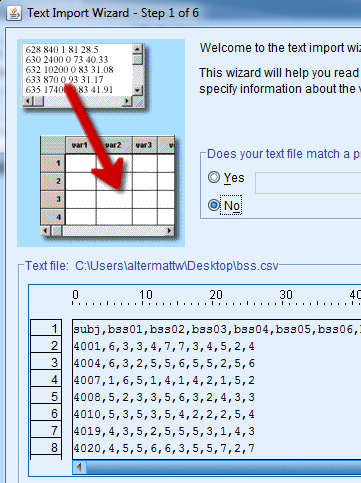
In the image above, you can see the raw data in the window on the bottom. The first row contains the variable names, while the subsequent rows contain data from different subjects, one subject per row, with values separated by commas. Check the following:
- Make sure the box labeled “First line contains variable names” is checked.
- Make sure “Delimiter between values” is set to “Comma”
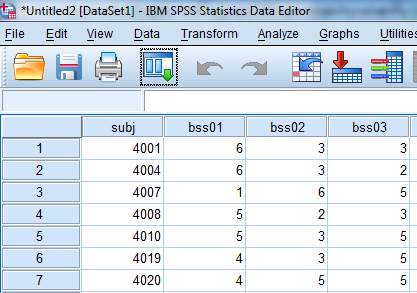
After the text import finishes, you should be able to see the Benevolent Sexism Scale responses in the Data window: